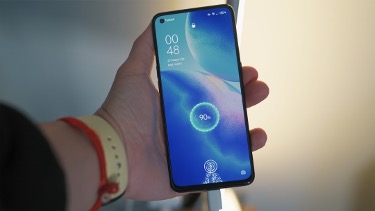
In today’s fast-paced world, smartphones have become indispensable communication, work, and entertainment tools. However, one common issue that many users face is battery drain. Understanding how to extend Android battery life is crucial for ensuring that your device remains functional throughout the day. Here are some effective tips tailored for Indian readers to help maximise your Android phone’s battery life.
Understanding Battery Drain
Before diving into the tips on how to extend android battery life, it’s essential to understand the factors that contribute to battery drain:
- Screen Brightness: The display is one of the most significant power consumers.
- Background Applications: Apps running in the background can consume substantial battery power.
- Location Services: GPS and location tracking can quickly deplete battery life.
- Notifications: Frequent notifications can wake your phone and consume energy.
Effective Tips to Extend Android Battery Life
Here are some practical strategies to help you extend your Android phone’s battery life:
1. Reduce Screen Brightness
- Set your screen brightness to a lower level or enable Adaptive Brightness, which automatically adjusts brightness based on ambient light conditions. This can significantly reduce power consumption.
2. Enable Dark Mode
- Using a dark theme can save battery, especially on OLED screens where black pixels are turned off. To activate dark mode:
- Go to Settings > Display > Dark Theme.
3. Limit Background Apps
- Close unused applications running in the background. You can do this by accessing the recent apps menu and swiping away apps you’re not using.
4. Adjust Sync Settings
- Reduce the frequency of sync for email and social media apps. Set them to sync only when connected to Wi-Fi or manually.
5. Turn Off Location Services
- Disable GPS when not needed or switch to “Battery Saving” mode in location settings. This prevents apps from constantly tracking your location.
6. Use Battery Saver Mode
- Activate the Battery Saver feature when your battery level drops below 20%. This mode limits background activity and reduces performance to conserve power.
7. Manage Notifications
- Limit notifications from less important apps. Frequent alerts can wake your device and drain the battery faster.
8. Reduce Screen Timeout
- Set a shorter screen timeout duration so that your display turns off quickly when not in use:
- Go to Settings > Display > Sleep and choose a shorter duration.
9. Turn Off Vibrations
- Vibrations consume more power than ringtones. Switching off vibrations can help save battery life.
Additional Tips
| Tip | Description |
| Charge Strategically | Avoid overnight charging unless necessary |
| Use Wi-Fi Over Mobile Data | Wi-Fi consumes less power compared to mobile data |
| Keep Your Device Updated | Ensure your device is running the latest software version |
Quick Reference Table of Battery Saving Tips
| Tip | Description |
| Reduce Screen Brightness | Lower brightness or use Adaptive Brightness |
| Enable Dark Mode | Activate dark theme for OLED screens |
| Limit Background Apps | Close unused apps |
| Adjust Sync Settings | Sync less frequently or manually |
| Turn Off Location Services | Disable GPS when not needed |
Conclusion
By implementing these tips on how to extend Android battery life, you can significantly enhance your smartphone’s performance and longevity. Whether you’re navigating through bustling city streets in India or enjoying a long train journey, keeping your device charged and ready is essential. These simple adjustments improve battery efficiency and contribute to a more sustainable use of technology.
For additional features to optimise your smartphone experience, consider using the Airtel App. It offers a comprehensive platform for managing various Airtel services, including mobile recharge, bill payments, and rewards. The app’s user-friendly interface and regular updates ensure a seamless experience for users across India.
Remember, small changes can significantly improve how long your phone lasts between charges!