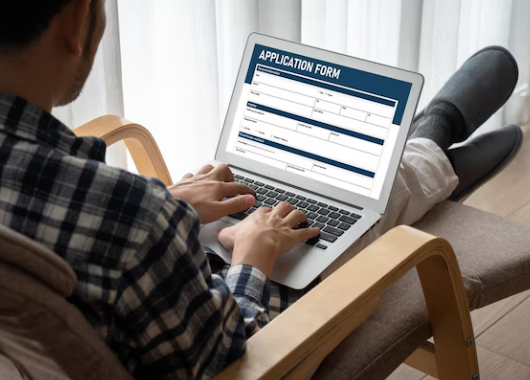
| Overview: Many people make errors while submitting PAN corrections online, leading to delays or rejection of their requests. Small inaccuracies in personal details, Aadhaar linking, document uploads or digital signatures can create major issues. Knowing the most frequent mistakes helps users complete their PAN card update smoothly and avoid repeated applications. |
The Biggest PAN Update Blunders You Must Avoid
More than 6.7 crore Indians submit PAN applications or corrections annually, yet a large number face rejection due to small but critical mistakes. When you think “how to update my PAN card” or “when individuals attempt to update their PAN card” for compliance, these errors create unnecessary delays.
Accurate personal data, proper Aadhaar linkage and correct documentation are essential because PAN is central to financial activities, tax filings, high-value purchases and loan applications. A properly updated PAN is also crucial when applying for financial products like a personal loan, where KYC verification is mandatory.
Errors to Avoid During PAN Update
A few simple oversights can delay or completely derail your PAN correction process online.
1. Incorrect Personal Information Submitted
One of the most common reasons for update failure occurs when applicants enter names, birthdates or parental details incorrectly while attempting to update the PAN card. Even tiny spelling mismatches between PAN and Aadhaar can trigger verification issues. This becomes even more important when managing financial responsibilities, such as debt management.
Frequent inaccuracies:
- Using shortened names or nicknames
- Wrong birthdate format
- Gender mismatch
- Aadhaar and PAN details not matching
Quick Comparison Table
| Detail Issue | Example | Result |
| Name variation | Rohan Mehta / Rohan K. Mehta | Verification fail |
| DOB mismatch | 11-02-1994 / 02-11-1994 | Application rejected |
| Facts to Know: Most PAN update rejections happen due to PAN–Aadhaar detail inconsistencies. |
2. Uploading Blurry or Unaccepted Documents
Many users upload unclear or low-quality scans when trying to update the PAN card online, which leads to instant rejection. The system requires proper visibility of every detail.
Common upload problems:
- Blurry camera photos
- Cropped address or ID proof
- Wrong file extensions
- Dark shadows on scanned copies
Better upload practices:
- Use a flat, well-lit surface
- Scan in high resolution
- Avoid glare or reflections
- Check file size guidelines
Keeping your PAN details accurate is essential not only for tax purposes but also for smoother financial approvals. Even a small mismatch can slow down applications for services such as an Airtel Finance Personal Loan, where verified PAN and Aadhaar information help speed up the KYC and approval process.
3. Aadhaar OCR Verification Not Passing
OCR mismatch occurs when the system cannot read Aadhaar information correctly. This is a major blocker for many users looking to update the PAN card. Issues like this can even impact processes related to loan servicing later.
Why OCR fails:
- Old Aadhaar print with faded text
- Blurred photograph
- Faulty scanning process
- Damaged physical card
| Customer Journey Tip: Use a freshly printed Aadhaar copy with clear text and photo for smooth OCR. |
4. Selecting the Wrong Update Category
Applicants often select “Reprint” instead of “Correction”, causing no actual update. Choosing the correct category is essential to ensure that the update request is processed properly. Similar precision is needed when deciding between top-up loans or other loan types.
Category breakdown:
- Correction – when details need changing
- Reprint – only for damaged or lost cards
- Reissue with Updates – for both change and reprint
Comparison Table
| Option | Purpose | Changes Allowed |
| Reprint | Lost/damaged card | No |
| Correction | Incorrect details | Yes |
| Reissue + Update | Both needs | Yes |
| Important to Know: Select the right update category before payment to avoid repeating the entire process. |
5. Not Completing the e-Sign Verification
Some users exit the portal before completing Aadhaar e-Sign, leaving the request incomplete even after attempting to update the PAN card carefully. This step matters across all financial tasks, including checking loan probability.
Frequent issues:
- Inactive Aadhaar-linked mobile number
- OTP delays
- Browser pop-up restrictions
- Incorrect Aadhaar authentication
Checklist:
- Enable browser pop-ups
- Keep Aadhaar-linked SIM active
- Enter OTP within the time limit
A Clean Finish for Your PAN Update Process
A correctly updated PAN ensures smoother verification across banks, investment platforms and lending services. When you are thinking, “How to update my PAN card,” for secure financial transactions, accuracy becomes essential, especially before applying for credit-based products. Even a small mismatch can delay approvals or require repeated submissions.
Keeping your PAN clean and updated supports faster access to financial options, including streamlined processing for services such as the Airtel Finance Personal Loan, where verified KYC details help speed up approvals and reduce unnecessary follow-ups. You may also explore tools like debt refinancing or compare low-interest loans if planning future borrowing.
FAQs
1. What is the biggest reason PAN update requests get rejected?
Most rejections occur due to mismatched personal information between PAN and Aadhaar, especially spelling errors, date-of-birth differences or incorrect parental details.
2. Can blurry document uploads affect my PAN update request?
Yes, unclear or low-quality document uploads often lead to instant rejection because essential details cannot be verified properly during the online assessment process.
3. Why does Aadhaar OCR verification fail during a PAN update?
Aadhaar OCR commonly fails due to faded text, blurred photos, damaged cards or unclear scans that prevent accurate digital recognition of information.
4. How do I choose the correct category while updating my PAN?
Select “Correction” when changing details, “Reprint” for a lost card, and “Reissue with Updates” when needing both modifications and a reissued card.
5. Does an incomplete e-Sign process delay PAN update approval?
Yes, failing to complete the Aadhaar e-Sign step leaves your request unfinished, causing delays or rejection until authentication is successfully completed online.