In today’s digital age, going paperless is not just a trend but a necessity. By adopting a paperless lifestyle, you can enhance security, increase efficiency, and contribute to environmental sustainability. If you’re wondering how to go paperless, here are some practical strategies and tips to help you make a seamless transition.
Why Go Paperless?
Before we dive into the tips, let’s understand the benefits of going paperless:
- Enhanced Security: Digital documents can be encrypted and backed up, ensuring that sensitive data is protected from unauthorised access.
- Increased Efficiency: Digital management systems streamline document handling, making it easier to access, share, and manage files across various devices.
- Environmental Sustainability: Reducing paper consumption contributes to a more eco-friendly lifestyle and workplace.
Strategies for a Seamless Transition
1. Declutter and Digitise
Start by decluttering your physical documents. Identify the essential ones and digitise them using scanners or mobile scanning apps. Store these digital files in secure cloud-based platforms like Google Drive or Dropbox.
2. Embrace Digital Note-Taking
Transition to digital note-taking applications such as Evernote, OneNote, or Notion. These platforms offer seamless accessibility across devices and advanced features for efficient information retrieval.
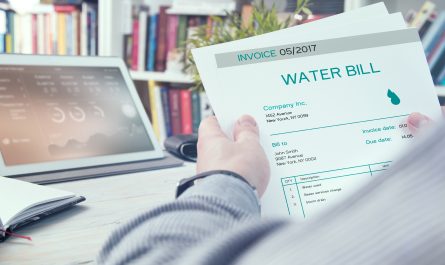
3. Switch to Online Billing
Set up online billing and auto-pay or online payment options for your bills. This reduces the need for physical statements and payment receipts.
4. Use Task Management Tools
Replace traditional paper-based systems with digital task management tools like Trello or Asana. These tools enable effective task prioritisation, deadline setting, and collaboration.
5. Leverage Mobile Scanning Apps
Utilise mobile scanning applications like Image to Text or Adobe Scan to convert physical documents into digital formats on the go.
6. Implement Secure Password Management
Use password managers like LastPass or 1Password to manage login credentials securely, eliminating the need for physical records.
7. Invest in Document Management Software
Consider document management software (DMS) such as DocuWare, Templafy, or eFileCabinet. These platforms integrate cloud storage, office automation, and collaboration tools, making document management easier and more secure.
| DMS | Key Features |
| DocuWare | Cloud-based document management with features like document imaging, data capture, and AI-driven indexing |
| Templafy | Integrates with essential office suites, allows brand document creation from a single feed, and includes automatic compliance checks and feedback tools |
| eFileCabinet | Uses smart automation to organise, name, and store files based on their content, with features like permissions, file/folder expiration, and notifications |
8. Adopt Electronic Signatures
Use tools like DocuSign to capture electronic signatures, reducing the need for on-paper signatures.
Practical Tips for Home and Work
At Home
- Adjust your preferences with banks and credit card providers to receive digital statements
- Invest in a good scanner to digitise incoming paperwork and save files in well-named folders
- Set up auto-pay or online payment options for bills and use phone alerts for reminders
At Work
- Request “soft copies” of documents instead of “hard copies” from colleagues
- Embrace digital organisation tools like Trello to track tasks and replace paper to-do lists
- Use electronic signature tools to reduce the need for paper signatures
What to Keep on Paper
While going paperless, it is advisable to keep certain documents in physical form, such as:
- Important legal documents
- Identification
- Any documents that may require a physical signature or original copy
Organising Your Digital Space
Ensure your digital files are well-organised by using clear folder names and categorisation. Regularly back up your files to secure cloud storage platforms to prevent data loss.
The Airtel App can be a valuable tool in your paperless journey. With features like online recharges, bill payments, and UPI transactions, the app reduces the need for physical receipts and statements. You can also access exclusive digital content and offers through the app, further minimising paper clutter.
Going paperless is a journey that requires commitment and the right tools. By following these strategies and tips, you can effectively transition to a paperless lifestyle, enhancing your personal and professional efficiency while contributing to environmental sustainability. Remember, every small step counts towards a greener, clutter-free future.