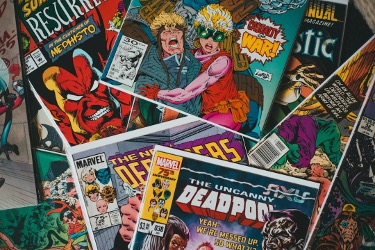
In the digital age, the world of comics has expanded beyond the printed page. With the rise of online platforms and digital tools, anyone can learn how to make a comic book online. Whether you’re an aspiring artist or a seasoned storyteller, creating a digital comic book is an exciting way to bring your ideas to life and share them with a global audience. In this step-by-step guide, we’ll walk you through the process of crafting your very own digital comic masterpiece.
1. Develop Your Story
Before diving into the technical aspects of comic creation, it’s crucial to have a solid story foundation. Here’s how to get started:
- Brainstorm ideas and create an outline of your plot, characters, and settings.
- Write a script that includes dialogue, panel descriptions, and action notes.
- Break down your story into chapters or issues to create a manageable structure.
2. Choose Your Art Style
The visual style of your comic plays a significant role in conveying your story’s tone and atmosphere. Consider the following:
- Decide on an art style that complements your narrative, whether it’s realistic, cartoon-like, or manga-inspired.
- Experiment with different drawing techniques and find a style that showcases your unique artistic voice.
- Create character sketches and concept art to establish a consistent visual language throughout your comic.
3. Select the Right Tools
You’ll need a set of reliable tools to bring your comic to life digitally. Here’s a comparison of popular software options:
| Software | Features | Best For |
| Clip Studio Paint | Advanced drawing tools, panel templates, 3D model integration | Professional artists and illustrators |
| Procreate | Intuitive interface, wide range of brushes, layering capabilities | iPad users and beginners |
| Adobe Photoshop | Powerful image editing, customisable brushes, integration with other Adobe products | Experienced artists and designers |
| MediBang Paint | Free, cloud-based, extensive comic creation features | Collaborative projects and cross-platform use |
4. Plan Your Page Layout
A well-designed page layout is essential for guiding readers through your story. Follow these tips:
- Sketch thumbnail layouts to visualise the flow of your panels and pages.
- Vary panel sizes and shapes to create dynamic compositions and emphasise key moments.
- Use gutters (the space between panels) to control pacing and create visual breaks.
- Incorporate speech bubbles and captions to convey dialogue and narration effectively.
5. Pencil, Ink, and Colour
With your story, art style, tools, and layout in place, it’s time to bring your comic to life:
- Pencilling: Sketch your panels and characters using light lines to establish the basic composition.
- Inking: Refine your pencil lines with bold, clean ink strokes to create depth and contrast.
- Colouring: Add colour to your comic using digital tools, considering the mood and atmosphere of each scene.
Remember to work in layers to maintain flexibility and make adjustments as needed.
6. Enhance with Special Effects
Digital tools offer a wide range of special effects to elevate your comic’s visual impact:
- Experiment with layer blending modes to create unique colour combinations and textures.
- Use digital brushes to add shadows, highlights, and other details that bring your artwork to life.
- Incorporate motion lines, sound effects, and other graphic elements to convey action and energy.
7. Add Interactivity (Optional)
For a truly immersive digital comic experience, consider adding interactive elements:
- Incorporate animations or subtle movements to make your panels more dynamic.
- Include clickable links or hotspots that reveal additional information or easter eggs.
- Explore the possibilities of branching narratives or choose-your-own-adventure elements.
8. Export and Share Your Comic
Once your digital comic is complete, it’s time to share it with the world:
- Depending on your intended platform, export your comic in a suitable format, such as PDF, EPUB, or CBZ.
- Upload your comic to popular online comic platforms like Webtoon, Tapas, or GlobalComix to reach a wide audience.
- Promote your comic on social media and engage with your readers to build a loyal following.
Conclusion
Creating a digital comic book is a rewarding journey that allows you to bring your stories to life in a visually captivating way. By following these essential steps and utilising the right tools, you can learn how to make a comic book online and share your unique vision with readers around the world. Remember to experiment, refine your skills, and, most importantly, have fun throughout the process.
Are you ready to embark on your digital comic creation adventure? The Airtel Thanks app offers a range of features and benefits to enhance your creative journey, from seamless connectivity to exclusive content and rewards. Download the app today and unlock a world of possibilities for your digital comic endeavours.