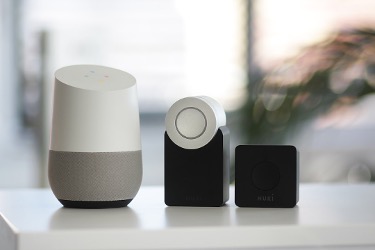
Smart speakers have become an integral part of modern households, offering a seamless blend of convenience, entertainment, and home automation. Whether you have an Amazon Echo, Apple HomePod, or Google Nest, knowing the right smart speaker tips and tricks can help you make the most of your device. In this article, we’ll explore nine essential tips to enhance your smart speaker experience, from improving security to troubleshooting common issues.
1. Secure Your Smart Speaker
Use Strong, Unique Passwords
To prevent unauthorised access to your smart speaker, ensure that the linked account has a strong and unique password. Avoid using easily guessable information like birthdays or common phrases.
Enable Multi-Factor Authentication (MFA)
Add an extra layer of security by activating MFA for your smart speaker’s associated account. This requires additional verification, such as biometrics or a code, to grant access.
Limit Access and Permissions
Review your smart speaker’s settings and adjust them to limit what it can access. Consider disabling voice purchases or restricting personal data storage to maintain privacy.
2. Troubleshoot Wi-Fi Connection Issues
Relocate the Speaker
If your smart speaker frequently disconnects from Wi-Fi, try moving it closer to the router. Obstacles like walls and interference from other devices can weaken the signal.
Switch Wi-Fi Bands
Most routers support both 2.4 GHz and 5 GHz bands. If you’re experiencing connectivity issues, try switching to the other band to see if it improves the connection.
Upgrade to a Mesh Network
For larger homes or areas with poor Wi-Fi coverage, consider upgrading to a mesh network system. This ensures a stable connection throughout your space.
3. Improve Voice Recognition
Reduce Background Noise
Place your smart speaker in a room with minimal noise from TVs, sound systems, or appliances. Lower the volume of nearby audio sources to help the device better understand your commands.
Retrain Voice Recognition
If your smart speaker struggles to recognise your voice, try retraining the voice recognition feature. This process helps the device adapt to your specific voice and accent.
4. Maximise Sound Quality
Pair Speakers for Stereo Sound
Some smart speakers, like the Amazon Echo, allow you to pair two devices for enhanced stereo sound. This creates a more immersive audio experience, especially for music lovers.
Adjust EQ Settings
Experiment with your smart speaker’s equaliser (EQ) settings to fine-tune the audio output based on your preferences. Boost the bass for a punchier sound or adjust the treble for clearer vocals.
5. Leverage Smart Home Integration
Connect Compatible Devices
Smart speakers can act as a central hub for controlling various smart home devices. Connect compatible gadgets like lights, thermostats, and security systems to enable voice-activated control.
Create Routines and Scenes
Set up routines or scenes that trigger multiple actions with a single command. For example, saying “Alexa, goodnight” could turn off the lights, lock the doors, and set the thermostat to your preferred sleep temperature.
6. Explore Built-In Features
Set Reminders and Alarms
Use your smart speaker to set reminders for important tasks or appointments. You can also create custom alarms with your favourite music or sounds.
Manage Your Calendar
Integrate your calendar with your smart speaker to easily add, modify, or cancel events using voice commands. Stay on top of your schedule without lifting a finger.
Get News and Weather Updates
Ask your smart speaker for the latest news headlines or weather forecast to stay informed throughout the day. You can even customise your news sources and preferences.
7. Enhance Privacy and Security
Mute the Microphone
When not in use, mute your smart speaker’s microphone to prevent accidental recordings and ensure privacy. Most devices have a dedicated mute button for this purpose.
Review Voice History
Regularly review and delete your smart speaker’s voice recordings to minimise the amount of personal information stored by the device or its associated service.
8. Personalise Your Experience
Create Voice Profiles
Some smart speakers allow you to create individual voice profiles for each family member. This enables personalised responses, recommendations, and access to specific features.
Customise Wake Words
Change your smart speaker’s wake word to something more unique or personal. This can help prevent unintentional activations and make the device feel more tailored to your preferences.
9. Simplify Your Life with the Airtel Thanks App
While smart speakers offer a world of convenience, the Airtel Thanks App takes it a step further by streamlining your digital life. With features like easy recharges, bill payments, and rewards, the app serves as a one-stop solution for managing your Airtel services.
The Airtel Thanks App also provides a seamless way to stay connected with your loved ones through its UPI money transfer and chat support features. As you explore the world of smart speakers, consider leveraging the benefits of the Airtel Thanks App to simplify your digital experience.
Conclusion
By implementing these smart speaker tips and tricks, you can unlock the full potential of your device and enjoy a more secure, personalised, and convenient experience. From enhancing privacy to optimising sound quality, these tips will help you get the most out of your smart speaker.
As you embrace the world of voice-activated technology, remember to explore the features and capabilities of your specific device. Whether you’re an Amazon Alexa, Google Assistant, or Apple Siri user, there’s always something new to discover.
So go ahead and put these tips into practice, and enjoy the benefits of a smarter, more connected home. And don’t forget to check out the Airtel Thanks App for a seamless way to manage your digital life alongside your smart speaker experience.