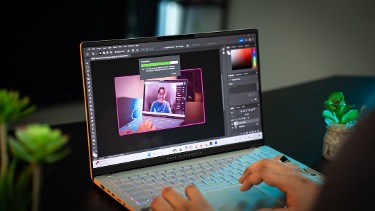
Adobe Express has become the go-to design tool for millions who need quick graphics without design training. With 350,000+ templates and new AI features, the platform now handles everything from event posters to Instagram Reels. The recent addition of SVG support, timeline editing, and AI models marks a significant upgrade from its earlier iterations.
This guide walks through the main design types you can create, from traditional print materials to dynamic social content. We’ll cover specific features for each format, practical workflows, template selection tips, and the new AI Assistant capabilities that speed up the design process.
Event Posters and Promotional Materials
Adobe Express is a comprehensive online poster maker with templates for academic events, business promotions, and community notices. The platform provides precision tools, including rulers, custom guides, and SVG path-level colour control for exact positioning.
The workflow starts simply. Search “poster” on the homepage, select a template, then use the AI Assistant to make sweeping changes through prompts like “Add event details while keeping the main design intact.” The bulk resize feature exports your poster to multiple formats simultaneously. Examples of poster types often created include:
- Workshop announcements
- Sale promotions
- Campus notices
- Community bulletins
- Conference materials
Social Media Graphics and Video Content
The social media post maker capabilities extend beyond static images. Adobe Express now includes social media Safe Zones that automatically adjust layouts to avoid platform-specific cutoffs, plus Social Caption Writer for AI-generated captions with @mentions. Platform-specific features include:
- Instagram: Stories, Reels, feed posts, carousel graphics
- Facebook: Cover photos, event banners, video posts
- LinkedIn: Professional graphics, article headers
- Amazon/Google Ads: Express for Ads add-on integration
The Clip Maker tool creates instant short videos from longer content. Full timeline visibility replaces the previous blind-scrolling issue, while bulk editing via Shift+select handles multiple clips at once. Export options include loop animations and direct publishing to platforms.
Professional Flyers and Print Materials
As an online flyer maker, Adobe Express bridges the gap between digital and print design. The platform supports importing, editing, and enhancing PDFs and exporting PowerPoint presentations. Tables and line charts add data visualisation to informational flyers. Flyer design capabilities extend to:
- Background Tools: Smart removal, resize, and expand features
- Asset Management: Adobe Experience Manager (AEM) integration for approved materials
- Team Workflows: Workfront integration for approvals
- Print Preparation: CMYK colour support, bleed settings
- Format Options: A4, letter, custom dimensions
Step-by-Step Poster Creation
Creating a poster in Adobe Express is a quick, guided process that works well even if you have no prior design experience. The platform provides ready templates and simple editing tools so you can move from idea to finished visual in just a few steps. Follow the steps below to choose a base design, customise it to your needs, and export a poster ready to share or print.
- Open the Adobe Express homepage
- Search template category (poster, flyer, social)
- Select a base design matching your style
- Enter the AI Assistant prompt for quick edits
- Add SVG graphics or custom images
- Align elements using rulers and guides
- Apply animations if needed
- Adjust export settings via the resolution slider
- Download or share with password protection
Premium Features and Integrations
The Premium tier adds generative AI credits, numerous Adobe Fonts, and royalty-free stock assets. Key premium capabilities include Text to Image, Generative Fill, Expand, and Resize.
Here is a comparison of the features included in the free vs. premium plans:
| Feature Category | Adobe Express Free | Adobe Express Premium |
| Templates | 100,000+ templates | Access to all premium templates |
| Adobe Stock Assets | 1M+ royalty-free assets (limited collection) | 200M+ royalty-free photos, videos, music & design assets |
| Fonts | 4,000+ Adobe Fonts | Full Adobe Fonts library (30,000+ fonts) |
| Generative AI Credits | 25 credits/month | 250 credits/month |
| Editing Tools | Standard photo, video & document editing | Advanced tools (e.g., video background removal, enhanced animation) |
| One-Click Resize | Not included | Included |
| Brand Kits | Not available | Create and manage brand kits |
| Content Scheduling | 1 account per social network | Up to 3 accounts per social network |
| Version History | 10 days | 30 days |
| Cloud Storage | 5 GB | 100 GB |
| Device Access | Desktop & mobile | Desktop & mobile |
Design Best Practices
Creating effective visuals requires understanding both tools and principles. Adobe Express handles technical aspects while you focus on the message and audience.
Quality Guidelines:
- Resolution: Use the slider for optimal file size vs quality
- Colours: Apply the Themes tab for harmony
- Typography: Limit to 2-3 fonts per design
- Spacing: Utilise rulers for consistent margins
- Accessibility: Add alt text for screen readers
The platform addresses common design problems. Oversized exports are adjusted via the resolution slider, social media cutoffs are prevented via Safe Zones, and template organisation is preserved during migration.
Format Selection:
- Posters: A3/A2 for events, A4 for notices
- Social Posts: Platform-specific dimensions
- Flyers: Standard paper sizes for printing
- Videos: Vertical for Stories/Reels, square for feeds
Adobe Express transforms complex design tasks into straightforward processes. From event posters to social media campaigns, the platform’s 350,000+ templates and AI tools make professional visuals accessible. The latest updates, particularly SVG support and partner AI models, position it as a serious poster maker online, social media post maker, and flyer maker for everyday creators.
The combination of free templates, precision tools, and cross-platform integration suits both personal and business needs. Whether you’re designing a campus poster or launching a social campaign, Adobe Express provides the framework without requiring technical expertise.
Airtel customers can now access Adobe Express Premium free for 12 months through the Airtel Thanks app. This includes all premium templates, generative AI credits, and advanced features. Simply open or download the Airtel Thanks, find the Adobe Express offer banner, and follow the redemption steps to activate your subscription.
Disclaimer: Pricing, promotional offers, and terms mentioned in this article are subject to change. Please verify the current details through official Airtel channels.