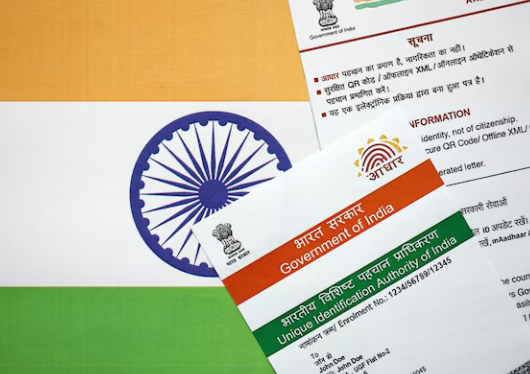
| Overview: Aadhaar is a vital identity document for Indian residents, used across financial, telecom, and government services. This blog explains how to download an Aadhaar card online securely, covering official methods, requirements, formats, and common mistakes, helping you access your digital identity quickly and confidently when needed. |
Your Aadhaar Card, Available Anytime Online
Aadhaar has become central to India’s digital ecosystem, with over 1.3 billion residents enrolled, according to UIDAI. From banking and telecom to personal loans and subsidies, Aadhaar authentication enables faster verification and paperless access.
Knowing how to download an Aadhaar card online ensures uninterrupted access to essential services. The digital Aadhaar, issued as a secure PDF, holds the same legal validity as the physical card and is accepted across institutions, making timely access crucial in financial and personal transactions.
About Digital Aadhaar and e-Aadhaar
A digital Aadhaar is an electronic version of your physical card, officially issued by UIDAI.
What is e-Aadhaar?
- A password-protected PDF issued by UIDAI
- Digitally signed and legally valid
- Contains demographic and biometric details
You can download an Aadhaar card online using multiple official channels, ensuring data security and ease of access. The e-Aadhaar download process is free and available 24/7, supporting faster loan eligibility checks.
Official Methods to Download Aadhaar Card Online
There are several secure ways to download an Aadhaar card online, depending on the information you have available.
1. Using Aadhaar Number
- Visit the UIDAI portal
- Enter your 12-digit Aadhaar number
- Verify using OTP
- Proceed with e-Aadhaar download
This is the most commonly used method for individuals with registered mobile numbers, particularly useful when applying for instant cash options.
2. Using Enrolment ID (EID)
- Use the 28-digit EID provided during enrolment
- Authenticate via OTP
- Complete downloading Aadhaar PDF securely
This option is helpful if your physical Aadhaar has not yet arrived or during loan servicing requirements.

3. Using Virtual ID (VID)
- Generate a VID on the UIDAI portal
- Use VID instead of Aadhaar number
- Complete downloading Aadhaar card online without revealing Aadhaar
| Important to Know: e-Aadhaar download files are password-protected using your name and birth year. |
Downloading Aadhaar via Mobile Applications
Mobile apps offer convenient alternatives to downloading the Aadhaar card online.
mAadhaar App
- Official UIDAI application
- Supports e-Aadhaar download and offline verification
- Ideal for smartphone users
UMANG App
- Unified government services platform
- Allows to download Aadhaar PDF easily
- Secure OTP-based authentication
Both apps ensure reliable access when desktops are unavailable, helping users avoid loan rejection due to missing documents.
Aadhaar Formats: Regular Vs Masked Aadhaar
Understanding the difference between regular and masked Aadhaar helps you choose the right format when sharing or verifying your identity online.
| Feature | Regular Aadhaar | Masked Aadhaar |
| Aadhaar Number | Fully visible | Partially hidden |
| Legal Validity | Yes | Yes |
| Security Level | Standard | Higher |
| Recommended For | General use | Sharing with third parties |
Masked Aadhaar is often preferred when you download an Aadhaar card online for verification purposes.
| Mistakes to Avoid: Refrain from using unofficial websites to download the Aadhaar card online. |
Why Aadhaar Access Matters for Financial Services
Aadhaar enables faster KYC for banking, telecom, and lending services. Many lenders require Aadhaar for identity verification during personal loan applications. When documents are instantly available through e-Aadhaar download, approval timelines improve and paperwork reduces.
If you are exploring digital lending options, services like Airtel Finance Personal Loan benefit from Aadhaar-based verification, making the process quicker and more seamless.
| Facts to Know: UIDAI allows unlimited attempts to download the Aadhaar card online. |
When You May Need to Download Aadhaar Urgently
There are several situations where quick access to your Aadhaar becomes essential for completing important personal or financial tasks without delay.
- Applying for financial products such as business loans
- Mobile number verification
- Address proof submission
- Identity confirmation during emergencies
Knowing how to download Aadhaar PDF ensures you are prepared at all times.
Stay Prepared with Instant Access to Your Aadhaar
Access to Aadhaar is essential in today’s digital-first India, and understanding how to download an Aadhaar card online empowers individuals to manage identity needs efficiently. With secure official platforms, instant e-Aadhaar download options, and multiple access methods, the process remains simple and reliable. Whether for verification, documentation, or financial applications, timely Aadhaar access reduces delays and stress.
For those seeking quick financial solutions, Aadhaar-enabled services like Airtel Finance Personal Loan make borrowing faster and more convenient through digital verification.
Frequently Asked Questions
1. How can I download an Aadhaar card online?
You can download an Aadhaar card online through the official UIDAI website using the Aadhaar number, enrolment ID, or virtual ID, followed by OTP verification on your registered mobile number.
2. What is e-Aadhaar and is it legally valid?
An e-Aadhaar is a digitally signed, password-protected PDF issued by UIDAI, legally equivalent to the physical card, and accepted for identity and address verification across India officially nationwide.
3. What if my mobile number is not registered with Aadhaar?
If your mobile number is not registered, you must update it at an Aadhaar enrolment centre, as OTP authentication is mandatory to download the Aadhaar card online securely and successfully.
4. Is masked Aadhaar acceptable for identity verification?
Masked Aadhaar is legally valid and hides part of your Aadhaar number, making it safer for sharing with third parties while still serving as accepted identity proof purposes.
5. How is the password for the e-Aadhaar PDF generated?
The e-Aadhaar PDF password consists of the first four letters of your name in capitals combined with your year of birth, ensuring basic security for the document file.