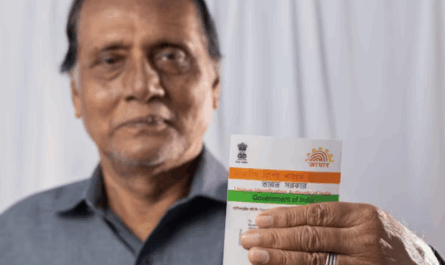
| Overview: Losing your Aadhaar card can disrupt financial services, loan applications, and KYC processes. This guide explains how to get your Aadhaar card if lost through online e-Aadhaar downloads, offline reprints, and document updates. Learn the complete process, costs, timelines, and required documentation to quickly restore your Aadhaar card access without delays. |
Why Losing Your Aadhaar Card Creates Financial Challenges
Over 1.3 billion Indians rely on their Aadhaar card for essential services. When you lose this crucial document, it immediately affects your ability to complete KYC processes for banking, loans, and investments. Financial institutions require valid Aadhaar verification for compliance with RBI and SEBI regulations.
Consider Priya, a software engineer who lost her Aadhaar card during relocation. Her personal loan application was stalled because she couldn’t complete the mandatory KYC verification. Banks and NBFCs cannot proceed with loan disbursals without proper Aadhaar authentication, regardless of your credit score or income proof.
The consequences extend beyond immediate inconvenience. Lost Aadhaar cards can delay:
- Credit card applications and limit approvals.
- Fixed deposit account openings.
- Insurance policy purchases.
- Government subsidy transfers.
- Tax refund processing.
Understanding Your Aadhaar Recovery Options
When you need to know how to get your Aadhaar card if lost, you have three primary options depending on your situation and requirements. An e-Aadhaar download offers the fastest solution. This digital version carries the same legal validity as your physical card. You can download it instantly if you remember your 12-digit Aadhaar number and have access to your registered mobile number.
Aadhaar Reprint provides a physical replacement card delivered by post. This option suits those who prefer hard copies for documentation or work in areas where digital copies aren’t readily accepted. New Aadhaar Enrollment becomes necessary when you’ve forgotten both your Aadhaar number and Enrollment ID, or when your biometric data has changed significantly.
Cost Comparison Table
| Service | Online Cost | Offline Cost | Processing Time |
| e-Aadhaar Download | Free | N/A | Instant |
| Document Update | Free (until June 2025) | ₹50 | 2-10 days |
| Physical Reprint | ₹25 | ₹50 | 5-15 days |
Step-by-Step Online Process
Downloading e-Aadhaar requires just five minutes when you know how to get your Aadhaar card if lost through digital channels.
- Visit the official UIDAI website (gov.in).
- Click “Download Aadhaar” from the main menu.
- Enter your 12-digit Aadhaar number or virtual ID.
- Complete the captcha verification.
- Authenticate using the OTP sent to your registered mobile.
- Download the password-protected PDF file.
The downloaded file uses a specific password format: the first four letters of your name in capitals plus your birth year. For example, if your name is Rajesh Kumar and you were born in 1985, your password would be “RAJE1985”.
Retrieving lost Aadhaar numbers helps when you’ve forgotten your UID completely:
- Select “Retrieve Lost UID/EID” on the UIDAI portal.
- Enter your registered mobile number or email address.
- Provide your full name as registered.
- Verify through OTP authentication.
- Receive your Aadhaar number via SMS or email instantly.
This service works perfectly when your contact details remain unchanged since enrollment.
| Pro Tip: Save multiple copies of your e-Aadhaar in different locations—email, cloud storage, and local device—to avoid future access issues. |
Complete Offline Replacement Process
Visiting an Aadhaar enrollment centre becomes necessary when online methods don’t work. This typically happens when your registered mobile number has changed or you need biometric updates.
Required Documentation:
- Original proof of identity (PAN card, passport, driving licence).
- Current address proof (utility bill, bank statement, rental agreement).
- Birth certificate for date verification.
- FIR copy (optional, for theft cases).
Centre Visit Process:
- Locate the nearest enrollment centre using UIDAI’s centre locator.
- Fill out the Aadhaar update or reissue application form.
- Submit required original documents for verification.
- Complete biometric authentication (fingerprints and iris scan).
- Pay the applicable fee (₹50 for updates or reprints).
- Collect your acknowledgment slip with Update Request Number (URN).
- Track status online using the URN.
- Receive your new card by post within 15 working days.
The offline process ensures accuracy when your personal details have changed significantly. Staff members assist with form completion and document verification, making it ideal for those uncomfortable with online procedures.

Financial Services Impact and Solutions
Understanding how to get your Aadhaar card if lost becomes critical when you need immediate access to financial services. Banks cannot process loan applications without valid Aadhaar verification, even if you have excellent credit scores.
Rahul faced this exact situation when applying for emergency funds. His lost Aadhaar card delayed his loan approval by two weeks. However, after downloading his e-Aadhaar, he completed his loan application and credit score check with Airtel Finance within hours.
Timeline Calculation Example:
- e-Aadhaar download: 5 minutes
- Loan application completion: 30 minutes
- Document verification: 2 hours
- Loan approval: 24 hours
- Total time: Less than 2 days
Compare this with waiting for a physical card replacement:
- Offline application: 2 hours
- Processing time: 10 days
- Card delivery: 5 days
- Total time: 15+ days
Cost Analysis and Smart Strategies
Immediate Cost Breakdown:
- e-Aadhaar: ₹0
- Online reprint: ₹25
- Offline reprint: ₹50
- Document update: Free (until June 2025), then ₹25
Hidden Costs of Delays:
- Loan processing delays can cost ₹500-2,000 in additional interest.
- Credit card application rejections require reapplication fees.
- Emergency fund access delays create financial stress.
Smart strategy involves downloading e-Aadhaar immediately while ordering physical replacement simultaneously. This ensures continuous access to financial services without interruption.
Document Security and Future Prevention
Digital Storage Best Practices:
- Save e-Aadhaar in password-protected folders.
- Maintain cloud backups across multiple platforms.
- Email copies to trusted family members.
- Print physical copies for offline storage.
Always keep your registered mobile number active and updated. This simple step ensures you can always retrieve your Aadhaar card details online, regardless of physical card loss.
| Mistakes to Avoid: Never share your Aadhaar details through unsecured channels or store unprotected digital copies on shared devices. |
Knowing how to get your Aadhaar card if lost protects your financial future. Quick recovery ensures uninterrupted access to banking services, loan applications, and investment opportunities. Whether you choose online e-Aadhaar downloads or offline reprints, acting promptly minimises financial disruption.
Start your financial journey confidently by ensuring your Aadhaar card access remains secure. Download the Airtel App to check your credit score and explore personal loan options with Airtel Finance once your Aadhaar verification is complete.
FAQs
1. Can I get my Aadhaar card if lost without my registered mobile number?
Visit an Aadhaar enrollment centre with valid identity and address proofs. Staff will help you update your mobile number and process card replacement offline.
2. How long does an e-Aadhaar download take when I know my number?
e-Aadhaar downloads instantly once you enter your Aadhaar number and complete OTP verification. The entire process takes under five minutes with stable internet.
3. Is e-Aadhaar legally valid for loan applications and KYC processes?
Yes, e-Aadhaar downloaded from UIDAI carries full legal validity. All banks, NBFCs, and financial institutions accept it for KYC compliance and verification.
4. What happens if I’ve lost my Aadhaar card and forgotten my number completely?
Use UIDAI’s “Retrieve Lost UID” service with your registered mobile or email. If unavailable, visit enrollment centres with identity proofs for assistance.
5. Can I update my address while getting my lost Aadhaar card replaced?
Yes, you can simultaneously update address details and get card replacement. This ensures your new Aadhaar card reflects current information accurately.