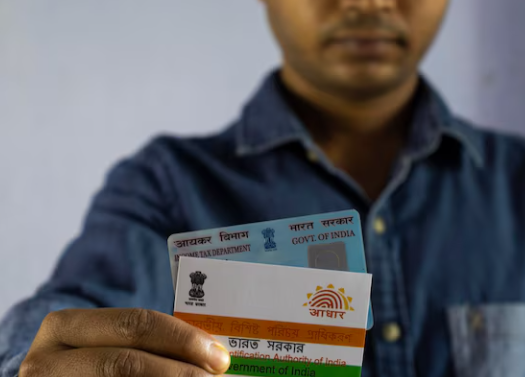
| Overview: Linking PAN with Aadhaar through the official Income Tax portal is an essential compliance step for smooth financial activities in India. Completing the PAN Aadhaar link online helps avoid penalties, prevents PAN from becoming inactive, and simplifies verification for taxation and banking tasks. The process is simple, secure, and quick. |
Your Trusted Path to Completing the PAN–Aadhaar Link Online Securely
The PAN–Aadhaar linking requirement is now a key compliance step for individuals across India, helping maintain accurate taxpayer identity and preventing duplication. With more than 70 crore PAN holders and widespread Aadhaar usage, the PAN Aadhaar link online process plays an important role in avoiding penalties and keeping financial activities active.
An inactive PAN can interrupt tax filing, block high-value transactions, and cause delays during banking or investment procedures. Completing the PAN Aadhaar link online through the authorised government portal is quick, reliable, and essential for uninterrupted financial access.
Why Linking PAN and Aadhaar Matters
The government made the PAN Aadhaar link online compulsory to reduce duplicate identities and streamline taxation processes. Linking helps taxpayers access services smoothly and reduces verification delays.
Benefits
- PAN stays active for financial transactions
- Fewer errors during digital verification
- Faster tax filing and e-KYC
- Reduced chances of identity mismatch during loan applications
| Facts to Know: Inactive PAN affects banking, trading, and tax filing immediately. |
What You Need Before Linking
To complete the PAN Aadhaar link online smoothly, make sure you have:
- A valid PAN number
- A valid Aadhaar number
- Mobile number linked to Aadhaar for OTP
- Correct date of birth and name on both IDs
Any mismatch may require corrections through UIDAI or the PAN update facility. This step becomes crucial, especially if you plan to apply for low-interest loans or explore personal loan eligibility.
How to Complete the PAN Aadhaar Link Online: Step-by-Step
Below are the most reliable methods based on updated Income Tax Department guidelines.
Method 1: Pre-Login Option (No Sign-In Needed)
Follow these steps for simple completion of the PAN Aadhaar link online:
- Visit the official Income Tax e-filing portal.
- Under Quick Links, select “Link Aadhaar”.
- Enter:
- PAN
- Aadhaar number
- Name as per Aadhaar
- Additional required details
- Submit to receive an OTP on your Aadhaar-linked mobile number.
- Enter OTP to complete the PAN Aadhaar link online submission.
Method 2: Post-Login Option (For Registered Users)
- Log in to your account on the e-filing portal.
- Go to Profile → Link Aadhaar.
- Enter your Aadhaar number.
- Validate and proceed with the OTP sent to your Aadhaar-registered mobile.
- Submission confirmation will appear on the screen.
Checking the Status
You can track the PAN Aadhaar link online status through:
Quick Links → Link Aadhaar Status, using both PAN and Aadhaar numbers.
| Important to Know: Use only the official portal to avoid incorrect submissions. |
Common Issues During Linking
Many users face delays during the PAN Aadhaar link online process due to small but critical data mismatches between the two documents.
Frequent Mismatches
| Detail | PAN Record | Aadhaar Record | Solution |
| Name | Abbreviated | Full name | Update one document |
| DOB | Incorrect | Correct | Correct via UIDAI or PAN update |
| Mobile number | Not linked | Linked | Update Aadhaar mobile number |
| Gender | Incorrect | Correct | Modify record where required |
These mismatches may pause the PAN Aadhaar link online process until corrected.
| Mistakes to Avoid: Avoid attempting the process with an inactive Aadhaar-linked mobile number. |
Security Tips for Safe Linking
To keep your identity secure during the PAN Aadhaar link online process:
- Use personal devices instead of public computers
- Do not share your OTP with anyone
- Double-check details before submitting
- Log out of the portal after finishing
Moreover, security is particularly important when you’re planning activities like loan closure or avoiding loan rejection.
Relevance to Financial Services
Many financial institutions require the PAN Aadhaar link online to verify identity during KYC checks. This becomes particularly helpful when applying for quick digital loans. If you are considering a seamless, instant loan option, the Airtel Finance Personal Loan supports fast processing when PAN and Aadhaar are linked.
Final Thoughts on Completing Your PAN–Aadhaar Linking Safely
Completing the PAN Aadhaar link online is essential for maintaining a valid financial identity in India. It supports swift tax filing, prevents penalties, and helps maintain uninterrupted access to services such as banking, trading, and digital verification. Linking early avoids complications and keeps your records accurate across financial platforms.
When considering credit options, a verified PAN and Aadhaar also simplify loan approvals. If you are exploring reliable digital credit, the Airtel Finance Personal Loan can be a practical choice, as it supports quick documentation checks and rapid processing.
FAQs
1. What is the purpose of completing the PAN Aadhaar link online?
It helps maintain an active PAN, supports smoother tax filing, reduces verification delays, and prevents penalties for non-compliance under Indian tax regulations. It also ensures smoother processes during financial tasks such as loan settlement.
2. Can I complete the PAN Aadhaar link online without an Aadhaar-linked mobile number?
No, you need an Aadhaar-linked mobile number because OTP authentication is mandatory for completing and validating the linking request online.
3. What happens if I do not complete the PAN Aadhaar link online?
Your PAN becomes inactive, affecting tax filing, banking transactions, investments, and various financial processes requiring valid identity verification.
4. How do I check the status of my PAN Aadhaar link online?
Visit the Income Tax portal, open “Link Aadhaar Status” under Quick Links, and enter your PAN and Aadhaar numbers to check.
5. What should I do if my details do not match during the linking process?
Correct the mismatched information on either PAN or Aadhaar through the respective update portals before attempting the linking again.