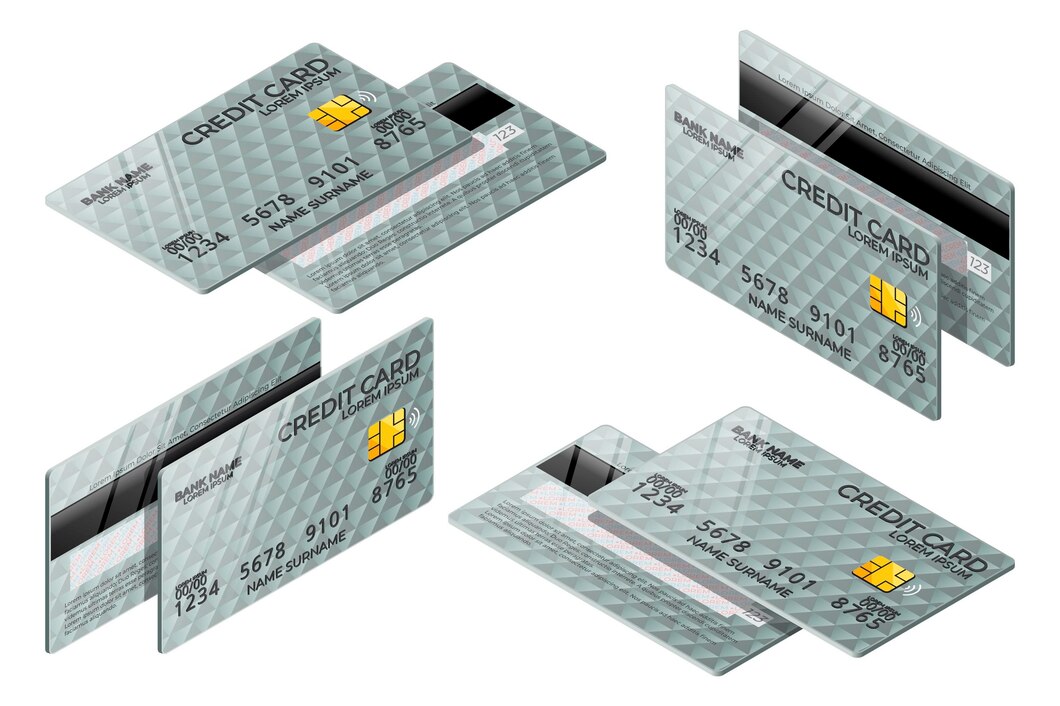
Overview:
Grasping the anatomy of a credit card unlocks smarter spending and stronger security. A credit card isn’t just plastic, it’s a compact bundle of parts of a credit card that work together. From the embossed digits on the front and back of a credit card to hidden verification layers, every credit card component has a job. This walkthrough of credit card anatomy explains each element in plain terms, so you never second‑guess your card again.
How to Identify Different Parts of a Credit Card
When you examine the front and back of credit card, the layout follows a consistent credit card structure. What are the different parts of a credit card? You’ll spot the 16‑digit number, expiry date, cardholder name, payment network logo, magnetic stripe, EMV chip, CVV, and signature panel. Knowing exactly where each sits helps you verify credit card details instantly and spot signs of fraud before they become a problem.
Front of the Credit Card
The face of a credit card displays key information used to identify the card and process payments. Familiarise yourself with these four essentials.
Card Number
Where is the credit card number located? It’s the longest string of digits on the front, typically 16 numbers grouped in four blocks. This unique sequence acts as your account’s fingerprint. The first digit flags the network, a MasterCard starts with a 5, while other networks use different starting digits and the rest identify your issuing bank and personal account. Always double‑check the number when typing it for online payments; even a single wrong digit sends a payment astray.
Cardholder’s Name
Where is the cardholder name on a credit card? Printed right below the card number, the name must match your official ID exactly. Cashiers may compare it during in‑person purchases, and mismatches can lead to declined transactions or suspicion of fraud. Ensure the spelling and name format (initials versus full name) mirror your government‑issued documents to avoid friction at the counter.
Expiration Date
The expiration date is usually shown as MM/YY. It signals the last month the credit card is usable. Issuers automatically mail a replacement weeks before expiry, so your spending never stops. This date also curbs fraud risk, outdated cards can’t be exploited, and the regular renewal cycle lets banks refresh security features without disrupting you.
Payment Network Logo
The logo: Visa, MasterCard, RuPay, or another network, tells you and the merchant whose rails your payment rides on. If a shop’s terminal bears the same logo, your credit card will work there. What information is available on the front of a credit card? The network logo is one of the most instant visual cues, shaping where and how you can pay.
Back of the Credit Card
Flip the card over, and you’ll find what is on the back of a credit card: a suite of anti‑fraud tools that authenticate every transaction.
Magnetic Stripe
The black magnetic stripe stores your account data in static form. Swiping it through a reader transmits that fixed information to complete a purchase. Although many markets have moved to chip‑first terminals, the stripe remains a fallback for older machines and certain geographies, so don’t be surprised if you still need to swipe occasionally.
EMV Chip
The small metallic square on the card is an EMV chip. Instead of static data, it generates a unique one‑time code per transaction, making card cloning vastly harder. This dynamic encryption is now the global benchmark for in‑person credit card security, drastically cutting fraud rates wherever it’s adopted.
Security Code (CVV/CVC)
The Card Verification Value (CVV) is a three‑digit code printed on the back, usually to the right of the signature panel. It verifies that you physically hold the card during online or phone transactions. Treat this code like a PIN, never share it over email or text, and only enter it on trusted, HTTPS‑secured checkout pages.
Signature Panel
A white strip on the back invites your signature. While many modern terminals skip signature checks, signing your credit card fulfils the card network’s requirements and adds a handwritten marker that could help a merchant validate your identity in a dispute. It’s a small step that closes a security gap.
Other Important Parts of a Credit Card
Beyond the core layout, several extras enhance how you pay and stay protected.
Contactless Payment Symbol
Many modern credit cards feature a contactless payment symbol, indicating that the card supports tap‑to‑pay technology. This allows cardholders to make quick and secure payments by simply tapping their card on a compatible terminal, without the need to swipe or insert the card.
Bank Issuer Logo
The logo of the issuing bank or financial institution is usually displayed on the front of the card. This helps identify the card issuer and provides a point of contact for customer service and support.
Hologram
Some credit cards feature a hologram, often of a dove or globe, which acts as a security measure to prevent counterfeiting. The hologram is a three‑dimensional image that changes appearance when viewed from different angles, making it difficult to replicate.
FAQs
What should I do if my credit card is lost or stolen?
If your credit card goes missing, contact your card issuer as soon as possible. Report the loss, block the card, and ask for a replacement. Fast action limits your liability for any unauthorised charges and stops fraudsters from running up a bill.
How can I protect my credit card information?
Store your credit card in a safe spot, scan your statements weekly for charges you don’t recognise, and only type card details into websites that display a lock icon. Never disclose your CVV or expiration date on a call you didn’t initiate. Scammers often pose as bank agents to fish for those very credit card details.
What is the difference between the magnetic stripe and the EMV chip?
The magnetic stripe holds unchanging data and gets swiped; the EMV chip creates a fresh transaction code each time you dip or tap. That dynamic code makes the chip far harder to counterfeit, giving you a solid shield against fraud.
Why does my credit card have an expiration date?
Expiration forces periodic card renewal, letting issuers upgrade security hardware and send you a fresh card. It also helps weed out dormant accounts and lowers the window for fraud on a long‑ignored piece of plastic.
Can I still use my credit card if the magnetic stripe is damaged?
Yes, as long as your credit card has an EMV chip or supports contactless payments. Insert the chip or tap to pay normally. Still, order a free replacement card from your issuer so the stripe is ready if you encounter an older terminal.
What information is printed on the front of a credit card?
The front of a credit card shows the 16‑digit card number, cardholder name, expiration date, and the payment network logo, the core credit card front and back details needed for most transactions.
Where can I find the CVV number on my credit card?
The CVV is the three‑digit code on the back of your credit card, printed to the right of the signature strip.
Is the credit card number the same as the account number?
No. Your credit card number is the identifier used for card transactions, but it isn’t the same as the bank account number you’d use for direct deposits or wire transfers.
What is the purpose of the chip on a credit card?
The chip encrypts transaction data and produces a single‑use code for each purchase. This drastically raises the bar for fraud and makes credit card cloning exceptionally difficult.
Now that you grasp the full anatomy of a credit card, why not enjoy one that rewards every transaction? The Airtel Axis Bank Credit Card, facilitated through Airtel Finance, delivers up to ₹5,00,000 credit limit and unlimited 1% cashback on your spending. Download the Airtel App to explore the offer and apply in minutes.