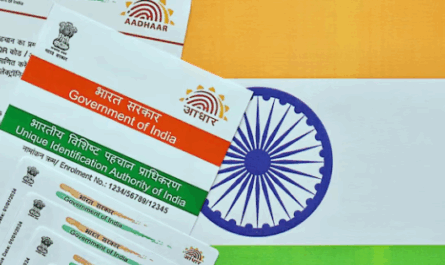
| Overview: Masked Aadhaar protects your privacy by hiding the first eight digits of your Aadhaar number. This guide explains how to download a masked Aadhaar card online through the UIDAI portal, DigiLocker, and mAadhaar app. Learn the step-by-step process, password format, troubleshooting tips, and practical applications for secure e-KYC verification in financial services. |
Why Masked Aadhaar Matters for Your Financial Security
Digital identity theft cases have surged by over 30% in urban India, according to the National Crime Records Bureau. Learning how to download a masked Aadhaar card online helps protect your personal information. The UIDAI introduced masked Aadhaar as a privacy-focused solution, showing only the last four digits of your 12-digit number.
This document is valuable for urban and semi-urban Indians using digital financial services. Whether applying for loans or checking credit scores, masked Aadhaar provides verification without exposing sensitive data.
Understanding Masked Aadhaar: Features and Benefits
Masked Aadhaar keeps your details secure while still being usable for verification.
1. What Makes Masked Aadhaar Different
Masked Aadhaar is an official e-document that replaces the first eight digits with ‘XXXX-XXXX’, showing only your last four digits. This format significantly reduces identity theft risks.
Key Features:
- Password-protected PDF format
- Shows only last 4 digits of Aadhaar number
- Contains your photo, name, and address
- Accepted for most e-KYC processes
2. When to Use Masked Aadhaar
Financial institutions increasingly accept masked Aadhaar for preliminary verification. For instance, when checking Airtel Finance Personal Loan eligibility, masked Aadhaar provides sufficient identity proof.
| Bonus Insight: Use masked Aadhaar for online applications where full identity verification isn’t mandatory. Save your regular e-Aadhaar for situations requiring complete details. |
Step-by-Step Guide: How to Download Masked Aadhaar Card Online
Follow these simple steps to download your masked Aadhaar online safely.
Method 1: UIDAI Official Portal
Learning how to download a masked Aadhaar card online through the UIDAI portal is the most direct approach:
- Visit the Portal: Go to myaadhaar.uidai.gov.in
- Navigate to Download: Click “Download Aadhaar” under “My Aadhaar” services
- Enter Details: Input your 12-digit Aadhaar number and captcha code
- Request OTP: Click “Send OTP” to receive verification code on registered mobile
- Select Masked Option: Tick “Do you want a masked Aadhaar?” checkbox
- Verify and Download: Enter OTP and click “Verify & Download”
- Save Document: The password-protected PDF downloads automatically
Method 2: DigiLocker Application
DigiLocker offers another secure way to access your masked Aadhaar:
Steps:
- Download DigiLocker app from Google Play Store
- Sign in using mobile number or Aadhaar credentials
- Navigate to “Issued Documents” section
- Locate and download your masked Aadhaar
- Use the same password format as regular e-Aadhaar
Method 3: mAadhaar Mobile App
The mAadhaar app provides convenient mobile access:
- Install mAadhaar from Google Play Store
- Login with your credentials
- Select “Download Aadhaar” under “Get Aadhaar”
- Choose “Masked Aadhaar” option
- Complete OTP verification
- Download password-protected document

Troubleshooting Common Download Issues
Quick tips to resolve common problems when downloading your Aadhaar online.
1. Mobile Number Not Linked
If your mobile number isn’t linked to Aadhaar, you cannot receive the OTP required for download. Visit your nearest Aadhaar Enrolment Centre to update your mobile number before attempting to download.
2. Server Connectivity Issues
UIDAI servers experience high traffic during peak hours (10 AM – 2 PM). Try downloading during off-peak hours for faster processing.
| Did You Know? Millions of Indians download e-Aadhaar monthly, with a growing preference for masked Aadhaar to enhance privacy protection. |
Best Security Practices for Digital Documents
When you successfully learn how to download a masked Aadhaar card online, follow these security measures:
Storage Guidelines:
- Save in password-protected folders
- Avoid storing on public computers
- Create backup copies on secure devices
- Never share passwords via messaging apps
Sharing Protocol:
- Use masked Aadhaar for preliminary verifications
- Share only with verified financial institutions
- Monitor where you’ve submitted the document
- Report suspicious verification requests
Closing Thoughts
Understanding how to download a masked Aadhaar card online empowers you to protect your identity while accessing digital financial services efficiently. This secure document strikes the perfect balance between privacy protection and verification requirements, making it ideal for modern financial interactions.
Whether you’re checking personal loan interest rates or applying for digital services, masked Aadhaar provides the security you need. Take advantage of this privacy-focused solution and apply for an Airtel Finance Personal Loan to safeguard your financial future while accessing services quickly.
FAQs
1. How to download a masked Aadhaar card online if my mobile number is not linked?
Update your mobile number at an Aadhaar Enrolment Centre. OTP verification through your registered mobile is mandatory for downloading masked Aadhaar from the UIDAI portal.
2. Is masked Aadhaar accepted for all types of loan applications and financial services?
Masked Aadhaar works for initial verification and credit checks, but final loan approvals may require full Aadhaar details as per RBI KYC rules.
3. Can I use the same password format for masked Aadhaar downloaded from different platforms?
Yes, the password format remains consistent across the UIDAI portal, DigiLocker, and mAadhaar app.
4. What should I do if the masked Aadhaar download fails repeatedly despite correct details?
Clear your browser cache, try different browsers, or attempt to download during off-peak hours.
5. How often can I download a masked Aadhaar card online, and are there any charges involved?
You can download unlimited times for free via the UIDAI portal, DigiLocker, or the mAadhaar app.